Building a DIY Arcade Cabinet in a Weekend
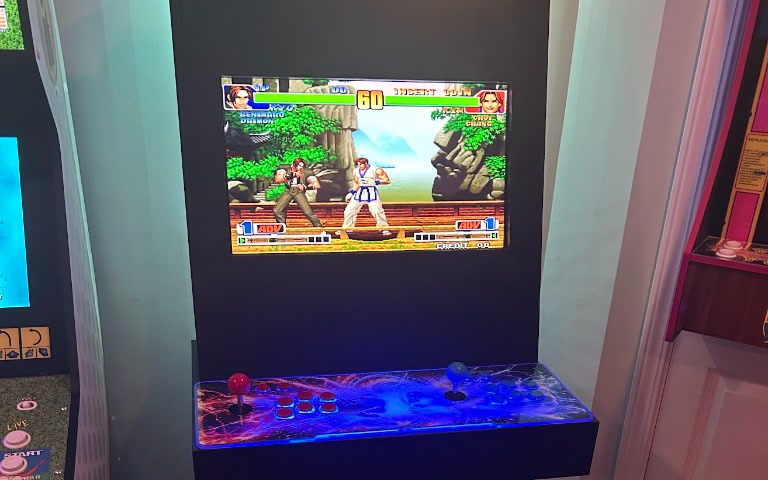
A few weeks ago, after picking up an Arcade1Up machine, I wrote a quick note about wanting to build my own arcade cabinet. I had come across this YouTube video that made the whole process look surprisingly approachable with basic tools. It had me thinking maybe I could actually do this, so I decided to do it.
I have taken on projects around the house, and I do a decent job, but I am by no means a carpenter. I'm just someone who likes to take on hands-on projects, get a little uncomfortable, and see how I do. While the video showed a straightforward build designed for the rest of us, actually diving into it was intimidating. Even the initial shopping trip to Home Depot felt daunting—double-checking the list and wondering if I had remembered everything before heading home. The supplies came in around $100—about $50 for the MDF and another $50 for the hardware and supplies.
I had to borrow a friend's pickup truck to haul a 4x8 sheet of MDF back to my garage. Looking back, choosing 1/2-inch MDF over 3/4-inch was easily one of the best decisions of the entire build. Trying to wrangle a 3/4-inch sheet would have made the build brutally heavy from the start. Worse, once assembled, an arcade made of 3/4-inch MDF is practically anchored to the floor. The 1/2-inch material kept the cabinet rigid enough to feel solid, but light enough that I could comfortably work with it alone and move the finished arcade wherever I wanted in the house.
Adapting the Plans
The video plans were a fantastic baseline, though I had to convert several metric measurements over to imperial along the way. But as I started laying out the cuts, I realized a few key construction details were missing. Specifically, the video was pretty vague on how some of the adjoining panels actually fastened together.
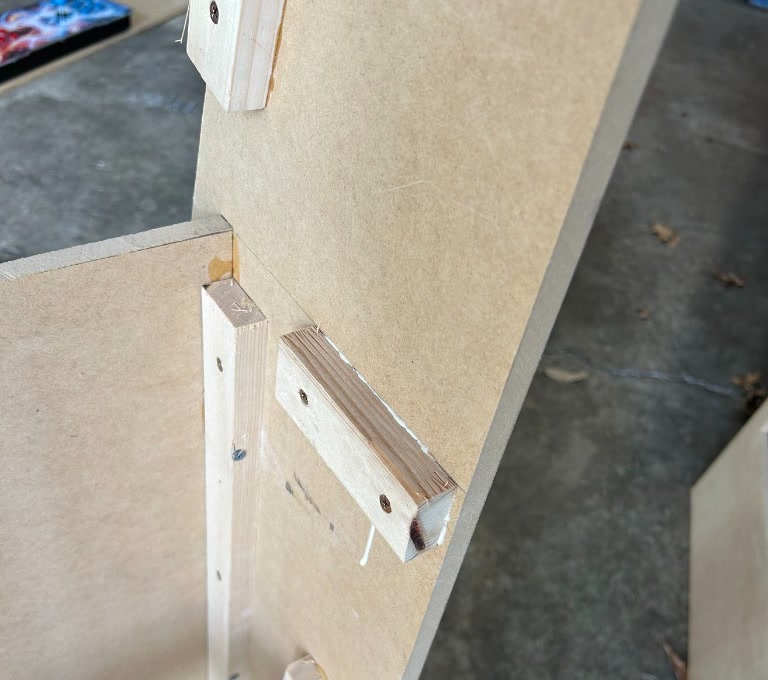
Rather than overcomplicating things, I devised my own system using standard 1x2 pine boards. I picked up three 8-foot lengths at Home Depot and cut them down into custom cleats for every joint.
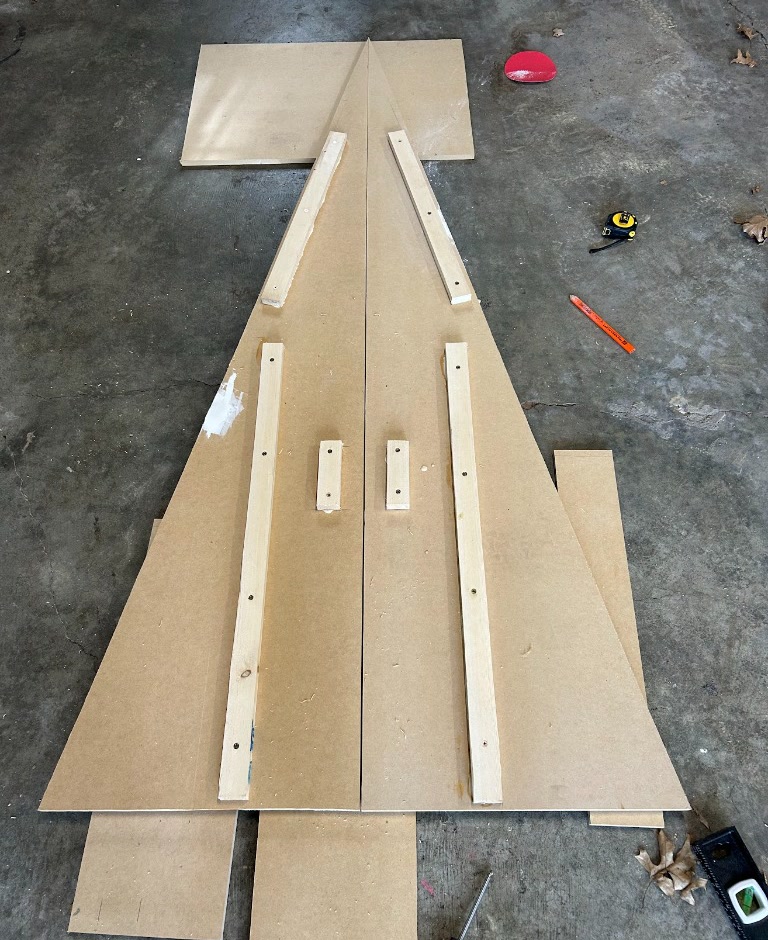
Here was my fastening system:
- Pre-drill pilot holes through the 1x2 cleat and into the MDF panels.
- Apply wood glue along the contact surface.
- Drive a screw straight through the cleat into the MDF panel.
Pre-drilling was essential. Without a pilot hole, 1x2 pine will split almost immediately when a screw bites into it. But by pre-drilling and screwing the cleats tight, the screws acted as permanent clamps. That meant I didn't have to pause the build for hours waiting for wood glue to dry. I could secure a joint and immediately move on to the next panel.
The only thing you have to be extra cautious about is screw length. Make sure your screw drives deep into the MDF without poking through the 1/2-inch finished face on the outside.
Custom Modifications
As I put the frame together, I made two significant changes to how the original plans handled the controls and the screen.
1. The Arcade Stick Shelf
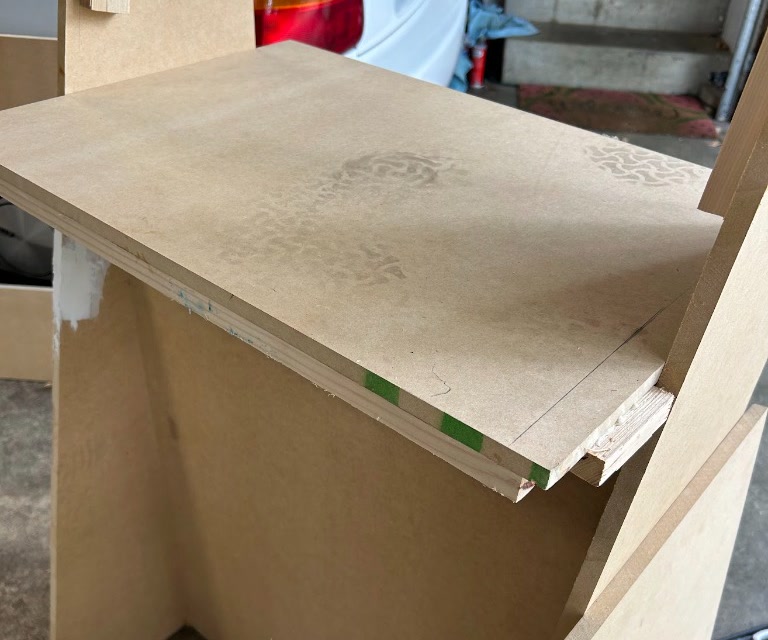
The video attached the arcade controller differently, but I wanted something cleaner and more structurally sound. I built an internal shelf first, then wrapped 1x2 framing around the front perimeter. This gave the front MDF a sturdy backing to screw into, locking the entire lower section together and giving the front of the machine a flush, clean profile.
2. Flush-Mounting the Monitor
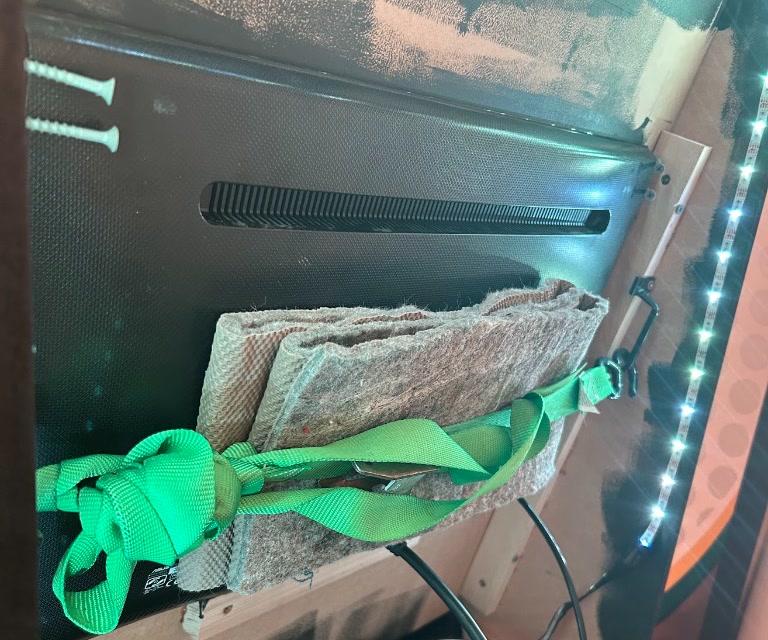
For the monitor, I fastened a piece of 1x2 where the bottom of the monitor would rest. Once the monitor was sitting on that ledge, I used screws and a strap across the rear to pull the display forward against the front bezel wood.
The screws are what is keeping the monitor tight to the MDF and help create a tight seal when viewed from the front. The strap is really just an extra precaution.
The Brains: Pandora's Box
For controls, I opted for an all-in-one Pandora's Box arcade stick.
When researching options, I came across a Canadian company that builds what looks like gorgeous, top-tier units, but they cost two to three times more. Since this was my first build and I had concerns about receiving a unit that might be dead on arrival or have loose wiring, I decided to go with a unit on Amazon Prime so I had hassle-free returns if anything went wrong.
I tested the unit thoroughly before adding it to the arcade cabinet, and it worked remarkably well right out of the box—better than I expected. Down the road, I may swap out the stock buttons and sticks for genuine Sanwa parts and run a Raspberry Pi, but for plug-and-play arcade nostalgia, the Pandora's Box has worked well enough.
Finishing Touches
To finish the exterior, I rolled on two coats of satin black enamel paint using a small high-density foam roller. The satin finish gives it a sleek, semi-matte arcade cabinet sheen without showing minor surface imperfections (for the most part, don't look too close).
To give it that proper arcade glow, I installed color-changing LED strip lights around the back. It instantly transformed a garage woodworking project into a piece of retro arcade hardware.
All in all, the entire build took one full Saturday, followed by a couple of hours on Sunday for painting and final setup. It's a true weekend project: you can start with raw lumber on Saturday morning and be playing games by Monday.
The real payoff came immediately after putting it in the house. My son and I have been playing Tekken 3 every single night before bed, running our own ongoing tournament.
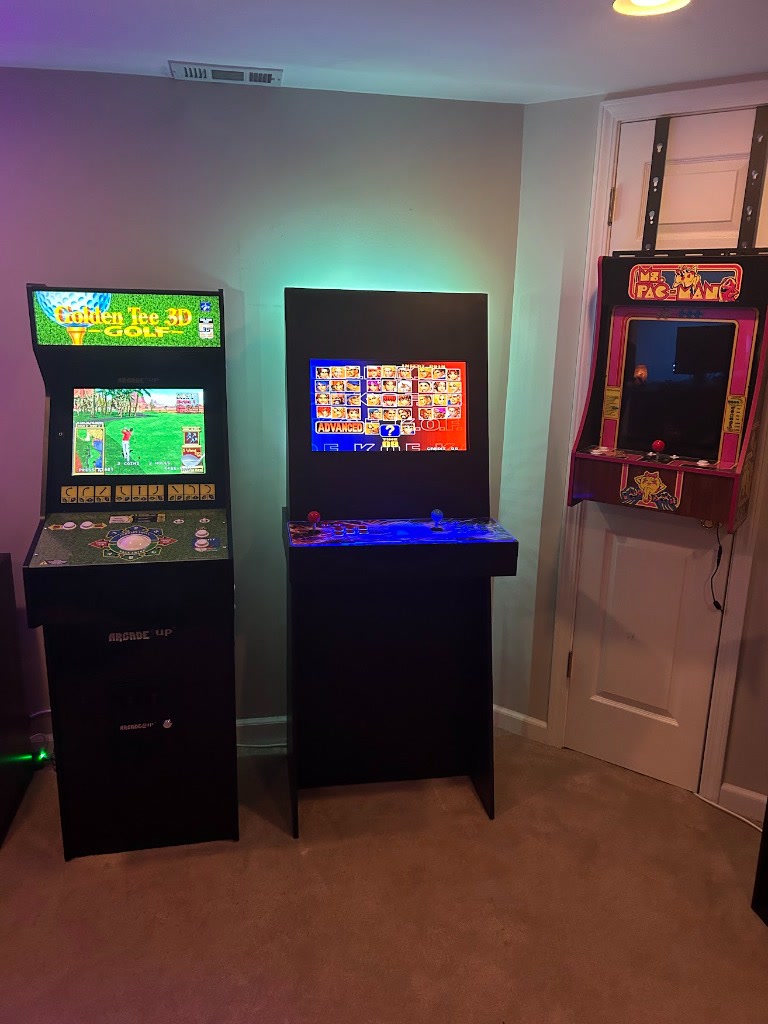
There were definitely moments early in the build where I stared at the cut pieces wondering how it was going to turn out. But pushing through that initial uncertainty and solving problems as they came up was rewarding. It fits right into the room, it's something unique I built myself, and an experience I am enjoying with my son every day.
The Bi-Weekly Save State
Prefer not to check back manually? Get a low-frequency email digest delivered every other week—strictly if new essays, notes, or web apps have been added. Zero spam, and unsubscribe anytime with one click.